Get the right screenshot.
Select an area with spacing guides and optional snapping. Capture the visible page, a full page, or a chosen window or screen.
 Simply Snip
Capture a page or selected area, add notes and styling, then copy or save a PNG. All in your browser.
Chrome Web Store release in preparation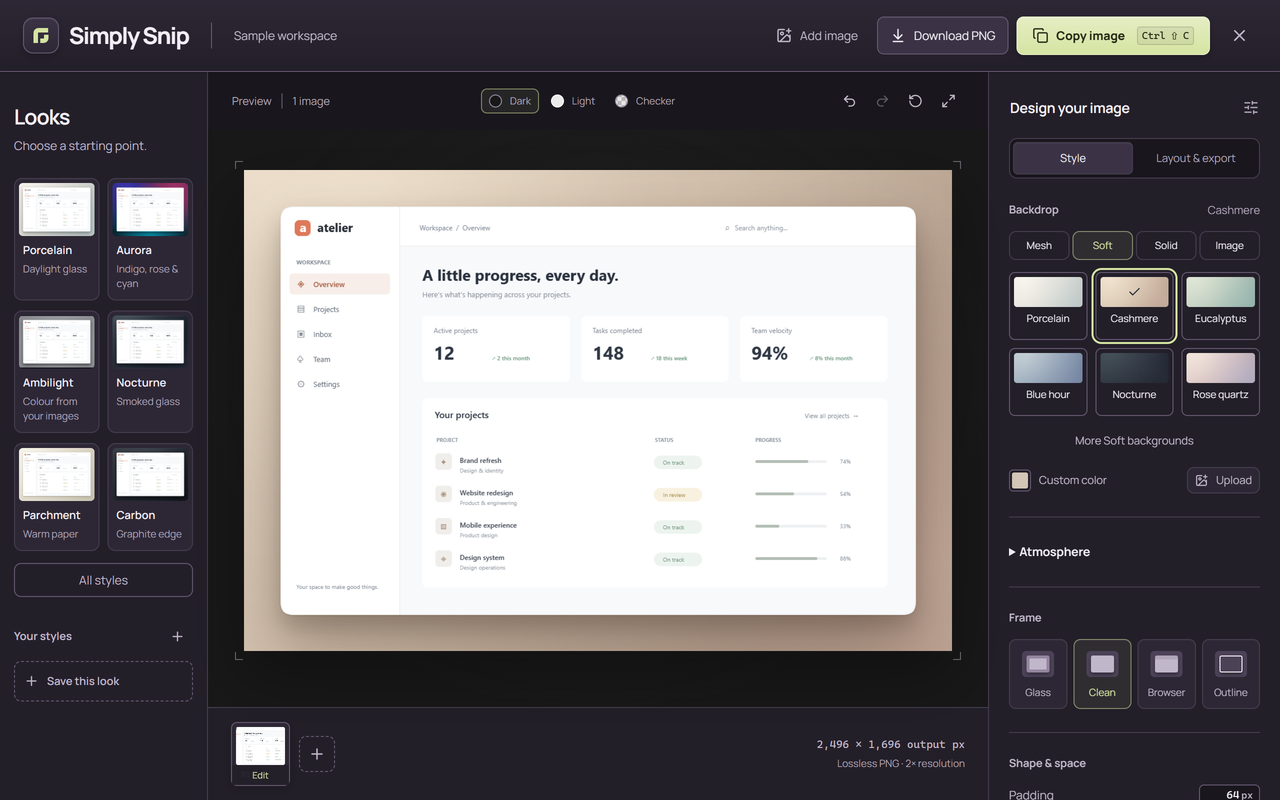
Select an area with spacing guides and optional snapping. Capture the visible page, a full page, or a chosen window or screen.
Add arrows, text and highlights. Crop or cover private details. Choose a background, frame, rounded corners and shadows.
The PNG matches your finished preview. Save a look for next time, or arrange up to four images on one canvas.
Choose how much of the page you need. Add a delay, open the studio or take a still image of a window or screen.
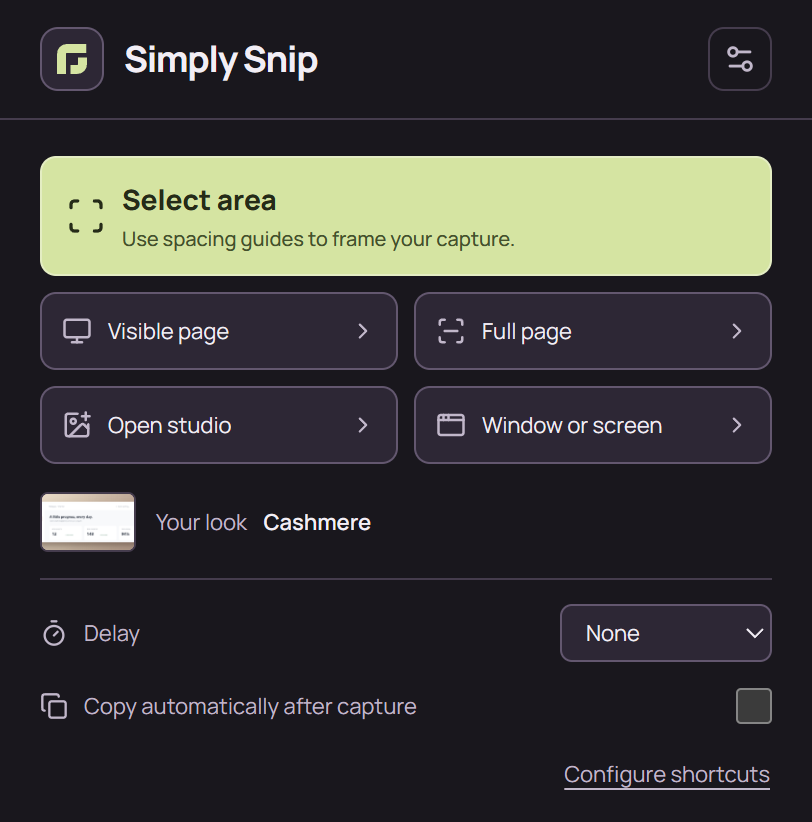
Image processing happens in your browser. No account, screenshot uploads or analytics. Read the data policy.